
Post-Submission Logistics 2026: How to Track Your Common App After Submission Analysis
- shraddhagolecs
- Jul 29
- 6 min read

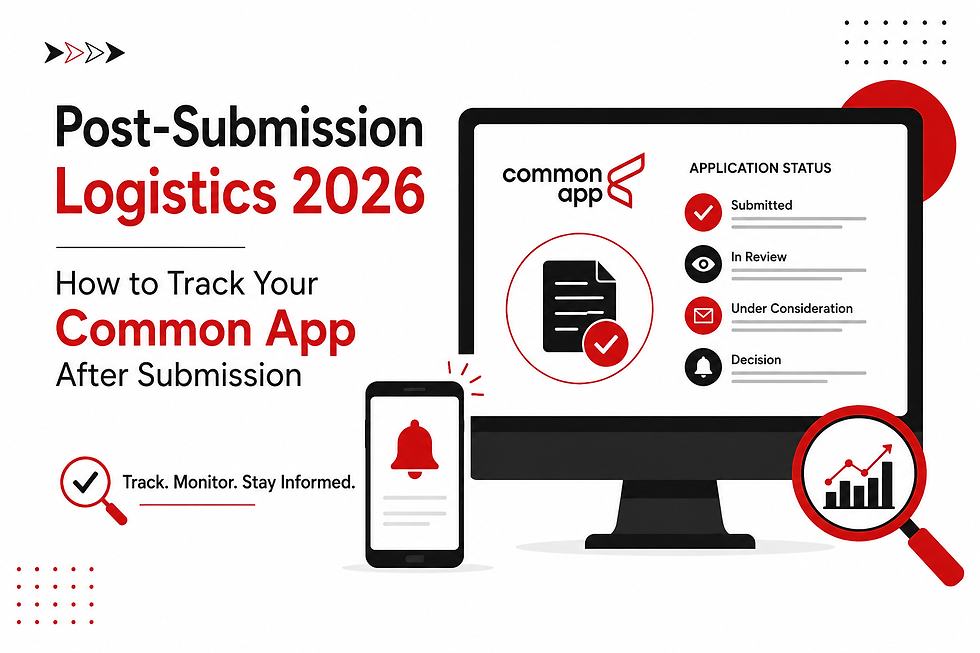
The final click of the "Submit" button on the Common Application marks a massive psychological milestone for millions of high school seniors worldwide. However, hitting submit does not mean your work is done. In the high-stakes college admissions landscape of 2026, the weeks immediately following submission are a critical phase where data gaps, missing transcripts, and tracking mistakes can put an otherwise flawless application at risk.
With over 1.5 million applicants navigating the platform globally, university admissions offices are managing record-breaking volumes of digital files. The transition from the unified Common App dashboard to individual university portals often leaves applicants confused about where their documents stand.
Managing this post-submission phase requires an organized, step-by-step strategy. This comprehensive guide details exactly how to track your common app after submission by analyzing data processing timelines, applicant portal tracking systems, and document verification methods.
1. The Post-Submission Lifecycle: Understanding the Data Flow
Once you authorize your payment and submit your application, your data undergoes a series of automated processing phases. Understanding this timeline is the first step in avoiding unnecessary panic.
[Common App Submission] ➔ [Data Processing: 24-48 Hours] ➔ [University Portal Credentials Emailed] ➔ [Document Checklist Verification]
The Processing Window
Immediately after submission, the platform freezes your information for that specific institution. The central servers then process your data files and securely transmit them to the undergraduate admissions database of the receiving college or university. This initial data transfer typically takes 24 to 48 hours. During this brief window, your Common App dashboard will update the status of that specific college from "In Progress" to "Submitted."
Recommender and FERPA Status
While the core application is transmitted immediately, auxiliary documents—such as school counselor reports, high school transcripts, mid-year reports, and teacher letters of recommendation—may flow on slightly different timelines. You can monitor the status of these materials directly on your central dashboard by checking the "Recommenders and FERPA" tab within the "My Colleges" section.
This panel provides real-time tracking for whether your designated recommenders have successfully uploaded their respective items through the platform. If documents are sent via secondary electronic delivery tools like Parchment or Naviance, they must be processed and matched on the receiving university's end.
2. The Shift to Individual Applicant Portals
A common mistake made by applicants is assuming that the central dashboard remains the definitive source of truth throughout the entire review cycle. Once a university receives your data, the primary tracking responsibility shifts entirely to the school’s independent infrastructure.
The Credential Retrieval Phase
Within 2 to 7 business days after submitting your Common App, you will receive an automated, high-priority email from each individual college on your list. This email will contain your unique applicant identification number along with detailed instructions on how to set up your account on the school's specialized applicant portal (often built on platforms like Slate, RaiderNet, or custom university systems).
Because these emails are automated, they frequently get caught in spam, junk, or promotional filters. It is critical to audit these folders daily during submission week to ensure you do not miss your portal setup windows.
                      ┌──► Email Auditing ───────► Scan Spam Folders Daily
                      │
[Tracking Operations]┼──► Portal Activation ────► Initialize Custom Accounts Immediate
                      │
                      └──► Checklist Monitoring ──► Audit for "Missing" vs "Received" Items
Document Checklists
Your individual applicant portal is the only location where you can reliably verify that your application is truly complete. Once logged in, you will find a dynamic document checklist that tracks every required piece of evidence, including:
Official High School Transcripts
School Counselor Secondary Reports
Core Academic Letters of Recommendation
Self-Reported or Official Standardized Test Scores (SAT/ACT, if applicable)
School-Specific Supplemental Writing Portfolios
3. Resolving the "Document Processing Lag"
When you log into an applicant portal for the first time, you may find that several items on your checklist are marked with a red "X" or labeled as "Missing." This status can cause unnecessary worry, but it is usually just a result of standard processing delays.
Admissions offices handle thousands of electronic files simultaneously during peak deadline weeks. A transcript or recommendation letter sent via the Common App may take up to two weeks to be opened, categorized, and officially matched to your unique student profile within the university's internal system.
If your dashboard shows that a document was successfully submitted, give the university admissions office at least 10 to 14 days to process it before reaching out. If an item remains marked as missing after two full weeks, you should contact the admissions office directly to help clear up the delay.
4. Operational Strategy: Tracking Matrix and Status Vocabulary
To stay organized during the post-submission phase, it helps to understand the standard terminology used across university portals. The matrix below outlines common status terms and the strategic actions you should take for each:
Portal Status Term | Internal Database Meaning | Immediate Strategic Action Required |
Submitted / Received | The core Common App data has successfully cleared transmission and is in the system. | Monitor your email for your unique portal login credentials. |
Awaiting Materials / Incomplete | The application has been logged, but required checklist items are still missing. | Check the specific list to identify which transcripts or letters are delayed. |
Ready for Review / Complete | All required documents have been received and verified by the admissions staff. | No immediate action needed; your file has been passed to the admissions committee. |
Action Required / Update | The admissions office has flagged an issue or requested an additional mid-year report. | Respond quickly within the portal to upload the requested documents and avoid review delays. |
Post-Submission Update Note: A growing number of universities allow students to submit self-reported test scores directly through their applicant portal after the main application deadline has passed. This flexibility means you do not necessarily need to pay official agency fees to send scores during your initial submission. Always check the specific testing policies on each school's portal to see if you can upload a PDF copy of your score report directly to your checklist.
5. Active Communication Etiquette and Post-Submission Adjustments
If you notice a genuine issue after submitting your application—such as a major typo in an essay, an incorrect course title on your transcript, or a change in your senior year class schedule—do not try to fix it by submitting a brand new application.
Instead, log into that specific university's applicant portal to check if they provide an "Updates Allowed" upload portal or an official corrections form. If the portal does not offer a direct upload option, draft a polite, concise email to the regional admissions counselor assigned to your high school. Clearly state your full legal name, your applicant identification number, and the specific correction you need to make. Admissions officers appreciate proactive, professional communication and will easily attach your update note directly to your active file.
Frequently Asked Questions (FAQs)
Q1: How do I verify that my letters of recommendation have been successfully sent?
A: You can track the initial status of these uploads directly on your Common App dashboard by opening the "Recommenders and FERPA" tab within the "My Colleges" view. However, the most reliable way to confirm that the receiving university has successfully processed and accepted those letters is to check the document checklist inside that specific school's applicant portal.
Q2: What are the most important steps for how to track your common app after submission?
A: The most effective strategy for how to track your common app after submission relies on a clear, organized workflow. Start by monitoring your dashboard to verify successful submission status. Next, check your spam and email folders daily for your applicant portal credentials. Once received, activate your account for each school right away, and regularly review your document checklists to confirm all required transcripts, test scores, and recommendations have been marked as complete.
Q3: Why does my applicant portal show that my transcript is missing when I already submitted it?
A: This is standard behavior known as processing lag. Admissions offices handle enormous volumes of documents during deadline weeks, and it can take anywhere from 10 to 14 days for staff to manually review, categorize, and match incoming transcripts to your portal file. If the status does not update after two full weeks, reach out to the admissions office for help.
Q4: Can I make changes to my personal statement or essay after clicking submit?
A: No, you cannot edit or replace your submitted files within the central Common App system once they have been sent. If you need to make an urgent correction, you must use the official update portal on that university's applicant webpage or email a clear correction note directly to their admissions team.
Monitor Your Applications with Verified Admissions Tools
Successfully managing your post-submission workflow requires relying on official platforms and verified communication channels. Avoid using unverified social media advice, and ground your tracking strategy in these trusted resources:
To check your core submission status, review your recommender logs, and find links to your college lists, log into the Official Common Application Dashboard.
To explore global data trends, update timelines, and read formal system notifications, check the Common App Member Solutions Support Center.
To track federal aid statuses, review financial packages, and confirm your asset submissions, monitor the Official US Federal Student Aid (FAFSA) Portal.
For a comprehensive video walkthrough demonstrating how to set up your individual university portals, navigate checklist errors, and format post-submission update emails professionally, watch the College Essay Guy Official Post-Submission Portal Guide. Following these official steps ensures you stay organized, maintain accurate data, and protect your hard work throughout the admissions cycle.


Comments